
Setup
Activate an NFA account
Activate the key from your NFA account order, then add the account credential to the official loader.
Activate the key from your order
- 1
Copy your activation key
Keep the completed SellAuth order page open and copy the activation key delivered there. If an older order already shows a complete username----token credential, skip to the loader steps below.
- 2
Use the Accounts activation tab
Open Accounts from the top navigation, select Activate key, and paste the key exactly as delivered. Keep that browser tab open while the account is prepared; its status updates automatically.
- 3
Copy the account credential
When activation shows Ready, copy the complete account credential. It uses the format username----token, including the four hyphens.
Keep the key and credential private
The key activates your purchase, and the complete username----token value grants access to the account. Never post either in screenshots, public chats or support messages.
Download the NFA Loader
- 1
Download this copy
Use the download below rather than a file from a direct message or an unofficial mirror.
- 2
Open the loader
The current loader opens to the Add account field shown below. Keep the Accounts activation tab open until you have added the account successfully.
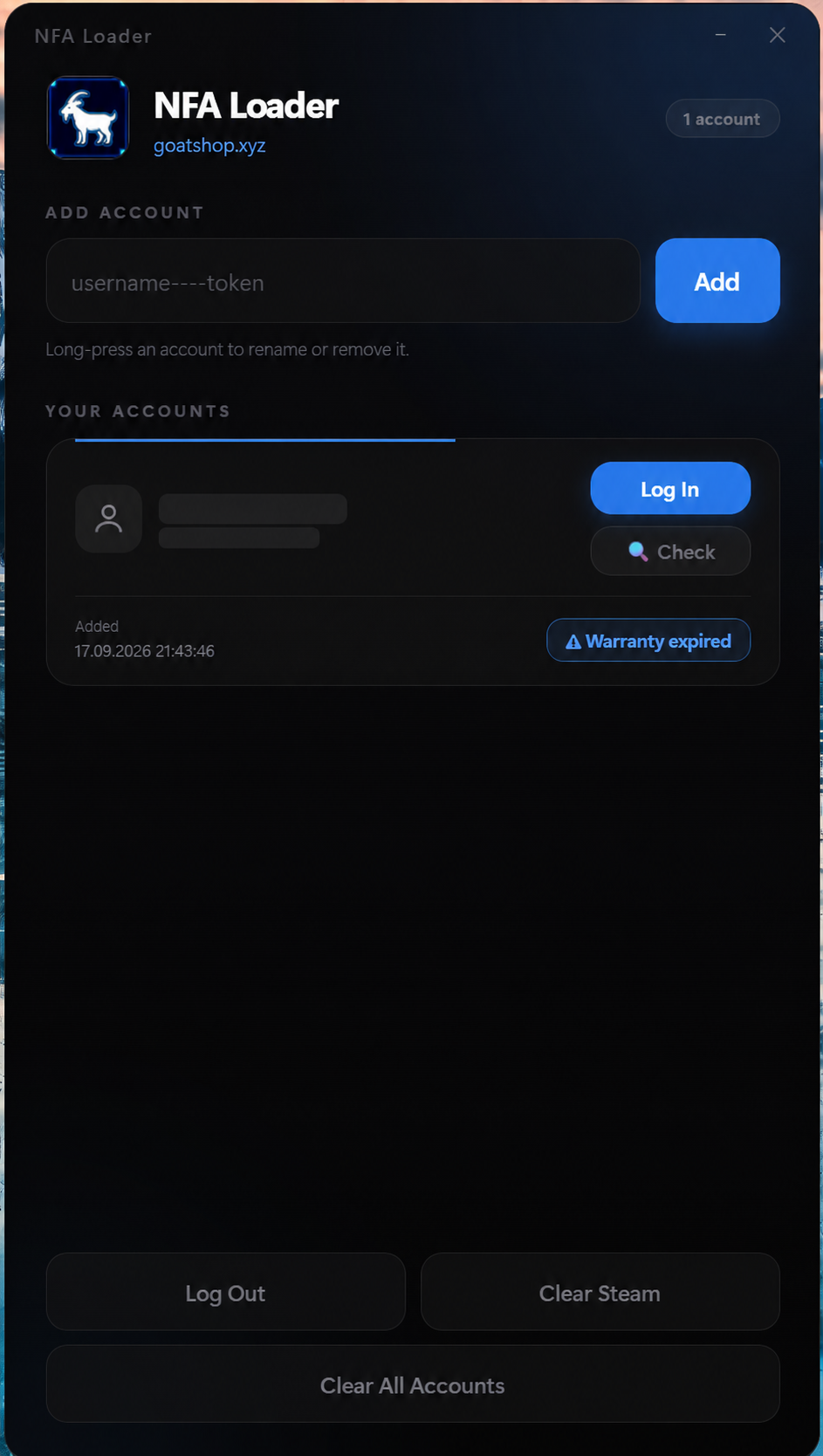
The current NFA Loader interface. The example account identifier has been hidden for privacy.
Add the delivered account
- 1
Paste the complete credential
Paste the entire username----token value into Add account. Do not remove the four hyphens or paste only one half.
- 2
Select Add
Click Add once. The account will appear under Your accounts when the credential is accepted.
- 3
Confirm the saved entry
Check that one account card appears before closing the Accounts activation tab. Long-press an account only when you intentionally want to rename or remove it.
Log in and check the account
- 1
Choose the account
Select the account card you want to use, then click Log In.
- 2
Use Check when needed
The Check button shows the current account or warranty state. Open the GOAT CHEATS Accounts page if you need to check replacement eligibility.
Protect an active warranty
Do not change the account name or profile picture while its warranty is active. Keep the original order link and credential private.
If it does not work
- If activation fails, copy the key again from the completed order and remove spaces before or after it.
- If the loader rejects the account, copy the credential again from the Accounts activation tab.
- Confirm the four hyphens between the username and token are still present.
- Do not repeatedly add the same account or download another loader from a third party.
- Contact support with the order number and a screenshot that hides the full key and credential.
Still need help?
Send your order number, product name and a screenshot of the exact error.